


n8n Workflow Automation: Building Complex Processes Without Code—A Practical Guide for SMBs
n8n is a workflow automation platform that allows SMBs to connect apps, automate multi-step processes and eliminate manual work through a visual interface—no coding required. The biggest time savings usually come from the first routine process you automate.
Last updated: 31 July 2026
Most SMBs in the DACH region still rely on manual data entry, email chains, and spreadsheets to manage critical business workflows. The cost isn't just time—it's the compounding error rate that spreads through your systems. n8n solves this by letting non-technical teams build complex automations visually. I've watched dozens of mid-market businesses cut operational overhead by 30–40% in the first quarter after deploying well-designed workflows. This guide covers what actually works, where common mistakes happen, and how to structure your first automation projects for real impact.
The Real Problem: Why Manual Workflows Kill Productivity

Manual processes don't scale cleanly. A sales team manually logging deals into CRM, then forwarding spreadsheets to accounting, then waiting for invoice generation—that's four handoffs minimum. Each one introduces latency, human error, and duplicate work. I worked with fiber4net during their Weclapp-ERP integration project, and we found that their order workflow had at least three approval loops, manual PDF generation, and QR-code assignment—all happening in parallel across different tools. Without automation, that process took 48 hours. Regulatory risk increased because there was no audit trail.
What makes n8n different from other low-code platforms is its flexibility. Unlike Zapier or Make (formerly Integromat), n8n lets you run workflows on your own infrastructure or use the cloud version with full control. You're not locked into a vendor's API rate limits or pricing tiers that spike when you automate heavily. For SMBs processing hundreds of transactions daily, that matters.
Understanding n8n Workflows: The Building Blocks
An n8n workflow is a sequence of connected nodes. Each node performs a single action: fetch data from an API, transform it, filter it, send it somewhere, or wait for a trigger. Think of it as a visual programming language where you drag, connect, and configure instead of writing code.
Triggers start everything. A new Stripe payment, a form submission, a scheduled time, a Slack message—any of these can kick off a workflow. Nodes do the work. HTTP requests, database queries, conditional logic (if/then), data transformations, file operations. Connections pass data between nodes. When a trigger fires, data flows through connected nodes, and each one transforms or acts on it.
The power comes from combining simple nodes into intricate sequences. Consider this real example from a recent project: when a new customer signs up via Wix, an HTTP node fetches their details, a Switch node checks their country, conditional branches route them to different email sequences via Brevo, a Webhook node logs the event to Posthog, and a final HTTP call creates a row in Airtable. Five nodes, zero custom code, deployed in 20 minutes. That workflow now runs 50+ times weekly without human intervention.
Setting Up Your First Automation: A Practical Walkthrough
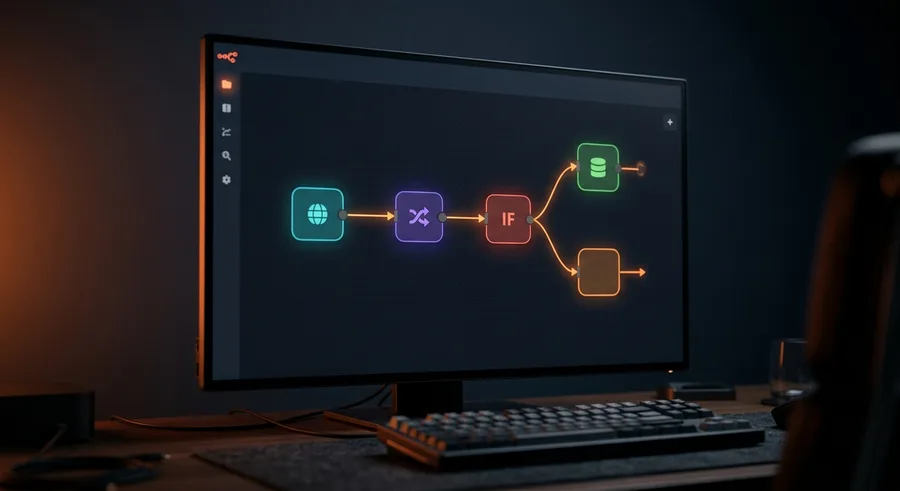
Start small. Don't try to automate your entire order-to-cash cycle on day one. Pick one repetitive task that takes a team member at least two hours per week and involves at least two systems.
Step 1: Map your process on paper. Write down every step, every decision, every tool involved. Does it require approval? Does data need to be checked or reformatted? Is there a specific sequence? Document the unhappy path too—what happens if something fails?
Step 2: Identify trigger and destination. Where does the workflow start? A form submission, a scheduled report time, a new database record? Where does data need to end up? A CRM, an email inbox, a shared document? The clearest automations have one obvious starting point and one or two endpoints.
Step 3: Build in n8n locally or test cloud. Create a free account, add a simple trigger (Webhook or Schedule), then add one node to a destination system. Test it. Verify data flows correctly. Check that you're not duplicating or losing information.
Step 4: Add logic and conditions. Once the basic flow works, insert Switch nodes to handle different paths. Use Set node to map fields correctly between systems. Add error handling—don't let failed API calls silently break your workflow.
Step 5: Monitor and iterate. n8n shows you execution logs. Every run is recorded, so you can debug. Enable alerts for failures. After two weeks of clean runs, increase complexity only if you need it.
Where n8n Excels and Where It Doesn't
n8n is outstanding for multi-system synchronization. You integrate Stripe → Weclapp → Brevo → Airtable with zero custom development. It handles API pagination automatically, retries failed requests, and manages authentication across OAuth and API keys. For SMBs with tight IT budgets, this is transformative.
It struggles with truly bespoke business logic. If your automation needs to run a proprietary scoring algorithm or process unstructured documents with complex rules, n8n's visual constraints become frustrating. That's when you'd use a custom Node-js microservice or move to code-based orchestration. But honestly, that's less than 5% of SMB automation needs.
Performance-wise, n8n handles thousands of executions daily without issue on the cloud or a modest self-hosted setup. The limiting factor is usually external API rate limits, not n8n itself. If you're moving millions of database records, you'll need to batch operations sensibly—again, simple to do with loops and batching nodes.
Common Pitfalls I See Teams Make
Assuming all systems have APIs. Not every legacy tool exposes an API. Some only offer SFTP or email exports. You'll need intermediate tools like Make or Zapier for those, or you'll have to import/export manually to n8n. Plan accordingly.
Overcomplicating error handling. New users build entire workflows then wonder why they fail in production. Use Try/Catch nodes, set up dead-letter workflows for failures, test with bad data. Assume things will fail—your workflow should handle it gracefully.
Ignoring data schema mismatches. System A exports customer IDs as strings, System B expects integers. System A uses YYYY-MM-DD dates, System B uses ISO 8601 timestamps. These mismatches cause silent data corruption. Always use Set nodes to explicitly map and transform fields.
Running everything on cloud without cost awareness. n8n charges by workflow executions. A poorly designed workflow that runs 100 times daily costs more than one that batches operations and runs five times. Optimize for execution count, not just for speed.
Real-World Automation Patterns for SMBs
Lead qualification and nurture: New form submission → enrich with Apollo or Hunter → score and segment → trigger email sequences → log to CRM. No sales team involvement until a prospect hits threshold qualification.
Invoice-to-payment reconciliation: Payment received in Stripe → webhook to n8n → match against open invoices in accounting software → generate receipt → email to customer → mark invoice paid. Total latency under 30 seconds.
Content syndication: New blog post published → HTTP request captures metadata and content → format for LinkedIn, Twitter, Bluesky → schedule posts via Buffer → log to Airtable for tracking. One click, multiple channels, consistent formatting.
Inventory sync across channels: Product stock updated in one system → n8n queries inventory level → updates Shopify, Wix, and Amazon product listings simultaneously. Prevents overselling.
Comparing n8n to Alternatives
Zapier is easier to start with—better UI, no setup required. But you hit rate limits fast and pricing scales poorly for heavy automation. Make offers more power than Zapier but less control than n8n. Integromat (their former name) users often migrate to n8n once they need self-hosting or advanced node logic.
For SMBs committed to automation as a core capability, n8n's flexibility and cost structure win. You're not renting automation; you're building it once and owning it. That matters when you're running 10,000 executions monthly.
Deploying Workflows Safely in Production
Start with the free cloud version. Once you have three to five stable workflows running cleanly, evaluate self-hosting if you have compliance requirements or extreme volume. Docker makes self-hosting straightforward—you can run n8n on a basic VPS for under €50/month.
Use environment variables for API keys, never hardcode credentials. Set up a testing environment separate from production. Write workflows defensively—add logging nodes, include checkpoints where you verify data, fail explicitly rather than silently.
Document workflows. Future you will thank present you. Include comments in complex nodes explaining why you made specific decisions. Keep a changelog in Airtable or Notion of what each workflow does and when you modified it.
Further reading
Our n8n automation service covers setup, hosting and maintenance. For the bigger picture, read AI integration & automation.
Frequently Asked Questions
What makes n8n different from other automation tools?▾
n8n combines open-source flexibility with enterprise-grade features, offering both cloud and self-hosted deployment options—critical for SMBs managing compliance and cost constraints.
Can we really build complex workflows without developers?▾
Yes, n8n's visual editor enables non-technical team members to design sophisticated multi-step processes, though technical validation by a developer is recommended for mission-critical workflows.
How quickly can an SMB see ROI from workflow automation?▾
Most SMBs see measurable time savings within the first weeks after going live; how quickly the investment pays off depends on process complexity and adoption.
What if we need to integrate with legacy systems?▾
n8n supports 400+ pre-built integrations plus custom webhooks and APIs, making legacy system connections viable through middleware approaches or direct API connections.
Is self-hosting n8n secure for business-critical workflows?▾
Self-hosted n8n meets enterprise security standards when deployed on secure infrastructure with proper access controls, encryption, and audit logging—ideal for sensitive data workflows.
Related service
n8n Workflow-Automatisierung
New articles delivered straight to your inbox
- ✓New articles delivered to your inbox
- ✓Digital marketing tips for SMEs
- ✓No spam, unsubscribe anytime
More articles

Next.js + Payload CMS vs WordPress: Why We Made the Switch — and When WordPress Still Wins
WordPress powers millions of sites — but for performance-critical, compliant, scalable builds in 2026, Next.js + Payload CMS is the sharper tool.

aws Grants for Digitalisation and AI in Austria 2026: Programmes, Amounts and How to Apply
Which grants Austrian SMEs can get for digitalisation and AI in 2026: the aws AI programmes, KMU.DIGITAL and SFG at a glance, with amounts and the most common application mistakes.

When Off-the-Shelf Shop Systems Hit Their Limits: The Case for Custom E-Commerce Development
Shopify and WooCommerce solve most e-commerce problems. The rest can silently kill your margins, your speed and your compliance standing.