

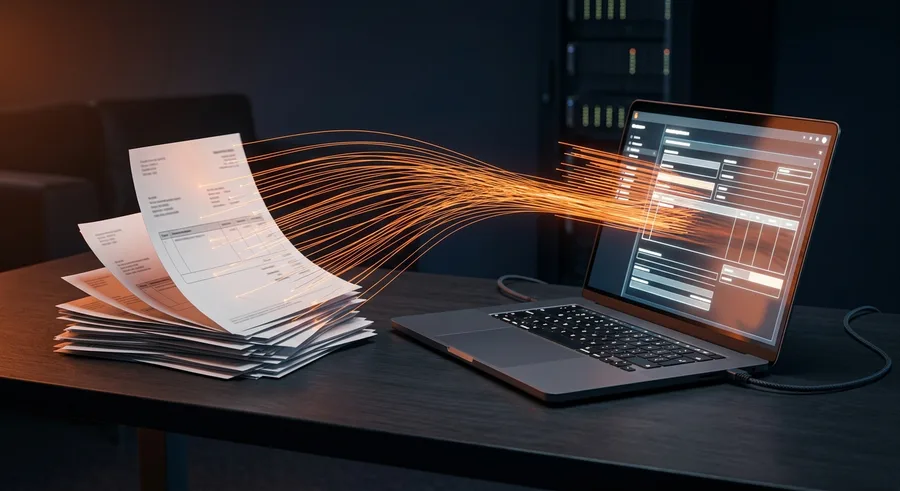
Automating Incoming Invoices: How It Works
Incoming invoices can be processed largely automatically: they arrive by email, an AI reads supplier, amount and date, assigns them and submits them for approval. They then go to accounting or your ERP. A person only reviews discrepancies and uncertain cases.
Invoices arrive by email, some as PDF attachments, some as download links, a few still by post. Someone saves them, types supplier, amount and date into a list, sends them to management for approval and gets them ready for the tax adviser at the end of the month. And the same question keeps coming up: who actually approved this invoice, and has it been paid yet?
This article shows how to process incoming invoices largely automatically, what an AI reliably recognises, where a person should check and how the data gets into your accounting or ERP system.
Where time is really lost with incoming invoices
Typing up a single invoice does not take long. The time is lost elsewhere:
- Searching: the invoice is in the inbox of a colleague who is on holiday, or in the download area of a supplier portal.
- Follow-up questions: what was this invoice for? Which cost centre? Who ordered it?
- Approval: the invoice waits for days in an inbox because nobody knows it needs approving.
- Duplicate work: the same data is entered into a list, into online banking and into the documents for the tax adviser.
- Errors: a transposed digit in the amount or an invoice paid twice is only noticed weeks later.
These are exactly the steps that can be automated. The goal is not to replace people but to only show them the cases that need a decision.
The automated process in five steps
Process automation means that recurring work steps between different programs run without manual input. For incoming invoices, a typical process looks like this:
- Collect: all invoices go to a dedicated address, such as invoices@yourcompany.at. Paper invoices are scanned or photographed with a phone and sent there too.
- Extract: an AI reads supplier, invoice number, date, net and gross amount, VAT rate and payment terms from each invoice.
- Check and assign: the system matches the supplier against your master data, suggests an account or cost centre and checks whether the invoice has arrived before.
- Approval: the responsible person receives a message with the key data and approves with one click or rejects with a reason. Every decision is recorded with name and time.
- Hand-off: approved invoices go with their PDF to accounting, the ERP or the folder for the tax adviser, and a payment order can be prepared if you wish.
The question "Who approved this?" answers itself.
What the AI recognises and where a person should check
Modern AI models generally read clearly legible PDF invoices reliably, even when every supplier uses a different layout. In the past you had to create a separate template for each layout; today the model usually understands the structure of an invoice without one. It is still not error-free. That is why fixed checking rules are part of the setup:
- Arithmetic check: do the net amount and VAT add up to the gross amount? If not, the invoice goes to a person.
- Plausibility: if the amount differs greatly from previous invoices from the same supplier, the system asks.
- Mandatory details: if details that an invoice must contain under § 11 of the Austrian VAT Act (UStG) are missing, such as the supplier's VAT ID, this is flagged.
- Uncertain cases: poor scans, handwritten receipts or invoices in other languages are always submitted for review.
- Duplicate invoices: the same invoice number from the same supplier is detected before anything is paid twice.
Example: a trades business receives invoices from wholesalers, subcontractors and petrol stations. Wholesale invoices from a known supplier with a usual amount go straight to the workshop manager for approval. Fuel receipts are collected. A subcontractor invoice whose amount is well above the quote goes to management with a note.
Connecting accounting, ERP and your tax adviser
The value of automation depends on the hand-off. Typical destinations in Austrian businesses:
- Accounting and tax software such as BMD: the tax adviser's firm decides in which format it wants to receive data and receipts. The automation delivers exactly that format.
- ERP systems such as weclapp: invoices are created directly as incoming documents and matched against purchase orders.
- Shared folder: for smaller businesses, a structured folder that the tax adviser can access is often enough, with a clean list of all invoices.
Important: in Austria, books and receipts generally have to be kept for seven years (§ 132 BAO, the Austrian Federal Fiscal Code). The automation should therefore store the original PDFs unchanged and permanently. How your systems are connected cleanly is described on our page on system integration.
Self-hosted or cloud: what happens to your data
Invoices contain business data and often personal data too. When choosing tools, you have two levers:
- The workflow itself: to connect the steps, we often use n8n, a tool for automated workflows between programs. n8n can run on your own servers, for example with a hosting provider in Austria or Germany. Find out more on our page about n8n automation and in the article n8n workflow automation.
- The AI model for extraction: here you can use a cloud service with a data processing agreement under the GDPR and processing in the EU, or, for particularly sensitive data, a model on your own hardware. The latter takes more effort but keeps all data in-house.
Also clarify whether the AI provider uses your data for training. With business plans this can usually be excluded.
Work out for yourself whether it pays off
Instead of relying on general averages, calculate with your own figures. It takes a quarter of an hour:
- Volume: how many incoming invoices do you have per month? A look at your last hand-over to the tax adviser is enough.
- Time per invoice: for one week, roughly time how long saving, entering, getting approval and filing take, including follow-up questions.
- Cost of errors: how often in the last twelve months was an invoice paid twice, a deadline missed or an early-payment discount lost?
- Calculation: volume times time gives your monthly hours. Multiplied by your internal hourly rate and plus the cost of errors, you see what today's process costs.
Compare this figure with the one-off cost of automation and the running costs. With only a few invoices per month, often only a simple workflow pays off. Above a certain volume, or with several approval levels, a more comprehensive solution also makes sense.
Common stumbling blocks during rollout
- Invoices arrive through too many channels. As long as suppliers send to five different addresses, manual work remains. Tell all suppliers the new invoice address.
- Unclear responsibilities. The automation needs a rule for who approves which invoice, for example by cost centre or amount. This rule has to be settled beforehand.
- Tax adviser involved too late. Agree on format and filing with the firm before implementation starts, not afterwards.
- Wanting everything at once. Start with your most frequent suppliers and one approval level. Special cases come once the basic process is running smoothly.
Costs and getting started
A good start is a single, clearly defined process: read invoices from one inbox, check them and submit them for approval. At EA Digital Solutions, AI integration starts from €2,500. If the solution should also connect to accounting, an ERP or banking, system integration starts from €4,500 (as of October 2026). On top of that come low running costs for servers and the AI service, depending on the number of invoices.
Whether funding is possible depends on the programme and your location. For Styrian businesses, SFG (the Styrian business promotion agency) is one option, and aws (Austria Wirtschaftsservice, the federal promotional bank) runs digitalisation calls from time to time. You usually apply before the project starts.
Your next step
In the free process check you tell us how invoices arrive and move through your business today. We calculate with you how many hours per month automation can save and show you which first step is worth it. Our office is in Graz, and remote collaboration works just as well.
Frequently Asked Questions
Does this also work with paper invoices?▾
Yes. Paper invoices are scanned or photographed with a phone and sent to the same address as digital invoices. They then run through the same process. With poor scans or handwritten receipts, recognition is less certain, so these cases should always be submitted to a person for review before anything is booked.
How reliably does the AI recognise amounts and VAT rates?▾
With clearly legible PDF invoices usually reliably, even with changing layouts. No AI is error-free, though. That is why fixed rules are part of it: net plus VAT must equal the gross amount, unusual amounts are flagged and duplicate invoice numbers detected. A person always checks uncertain cases before booking.
Can our tax adviser still access everything directly?▾
Yes. The automation delivers data and original PDFs in the format your tax adviser wants to receive, for example as an import for BMD or as a structured folder with an invoice list. The firm keeps working as usual but gets the documents more completely, earlier and without manual gathering at month end.
What does this kind of automation cost?▾
At EA Digital Solutions, AI integration starts from €2,500 for a clearly defined process, such as extraction, checking and approval from one inbox. With connections to accounting, an ERP or banking, system integration starts from €4,500 (as of October 2026). Low running costs for servers and the AI service come on top.
How long do invoices have to be kept?▾
In Austria, books and receipts generally have to be kept for seven years under § 132 BAO, longer in certain cases. An automation should therefore store the original invoices unchanged and permanently, not only in a tool you might cancel later. Clarify the details with your tax adviser, who knows your specific situation.
15 minutes
Want to know what this looks like for your company?
Pick a slot and we go through your situation together — no preparation needed, no sales pitch.
Related service
n8n Workflow Automation
Complex processes automated — self-hosted, no subscription trap.
New articles delivered straight to your inbox
- ✓New articles delivered to your inbox
- ✓Digital marketing tips for SMEs
- ✓No spam, unsubscribe anytime
More articles
Automating Incoming Invoices: How It Works
How to read, check, approve and pass incoming invoices to accounting or your ERP automatically, and where a person should still review them.
AI Agents for Customer Emails: The Dos and Don'ts
How an AI agent reads recurring email enquiries, prepares replies and connects to your shop or CRM, and what the GDPR and the EU AI Act require along the way.

n8n Workflow Automation Without Code: A Practical Guide for SMEs
How SMEs use n8n workflow automation to save time, reduce error rates and implement complex business processes without programming skills.