

Connecting weclapp and Shopify: App or Custom Integration?
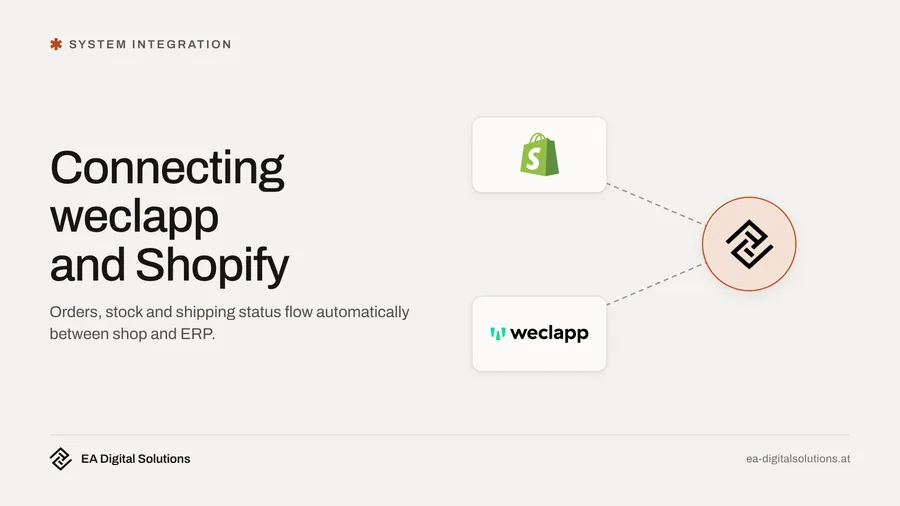
weclapp offers its own Shopify app: orders arrive in the ERP as sales orders, stock levels and shipping status flow back to the shop. For many shops that is enough. A custom integration pays off with special pricing, several sales channels or orders that need checking before import.
Your online shop runs on Shopify, while stock, invoices and customer data live in weclapp. In day-to-day work that often means orders are copied over by hand, stock levels are only correct first thing in the morning, and when an item sells out in the shop, weclapp still shows it as available. As soon as more sales channels are added, keeping shop and ERP aligned becomes a daily source of errors.
This article shows what the official weclapp app for Shopify covers, which decisions you should make before setting it up and when a custom integration makes sense.
What the official weclapp app for Shopify covers
weclapp offers its own app in the Shopify App Store, developed by weclapp GmbH. According to the app description (as of October 2026), it covers:
- Orders: New Shopify orders are imported automatically as sales orders in weclapp. Status and tracking numbers are sent back to the shop.
- Products: Product data is synced in both directions, including images, variants and categories.
- Stock: Stock levels in the shop are updated automatically.
- Customer data: Customer data is transferred between both systems.
- Several shops: Several Shopify shops can be managed from one weclapp system.
According to the App Store, installation is free, but additional fees may apply. You also need a suitable weclapp plan. The feature overview in the weclapp knowledge base additionally lists the transfer of cancellations and payment status to the shop. That overview dates from 2022, however. Before you start, check with weclapp which features are actually included in your plan today.
For many shops this app is the right starting point. It is quick to activate, maintained by the ERP vendor itself and covers the core: orders in, stock and shipping information out.
The key decision: which system leads?
Before running the first sync, decide where each type of data is maintained. This decision prevents most later problems. According to its knowledge base, weclapp supports both options: product data and prices with weclapp or with the shop as the leading system.
- Products and prices: If your team maintains products mainly in the ERP, because purchasing, suppliers and costing live there, weclapp should lead. If product texts, images and variants are mainly designed for the shop, Shopify can lead. What matters is that there is one clear rule.
- Stock: Stock should almost always come from weclapp, because goods receipts, reservations and deliveries are booked there.
- Orders and invoices: Orders are created in the shop, invoices and delivery notes in weclapp. That keeps accounting in one place.
If you treat both systems as leading at the same time, changes risk overwriting each other. Example: a team member corrects a price in Shopify, and the next sync resets it to the old value from weclapp.
45 minutes, free of charge
Want to know what this looks like for your company?
Pick a slot and we go through your situation together — no preparation needed, no sales pitch.
Common stumbling blocks in practice
Even with a ready-made app, these points deserve a close look:
- Variants and bundles: Sizes, colours or bundles of several items must be structured the same way in both systems. A bundle that is one product in Shopify but consists of three stock items in weclapp needs a clean mapping.
- Item numbers: Without unique, identical item numbers (SKUs), the sync cannot find products or creates duplicates.
- Taxes and countries: If you sell to several EU countries, tax rates and country details must arrive correctly in weclapp. Clarify the settings with your tax advisor.
- Discounts, vouchers and shipping costs: Check how these appear as order lines in weclapp so that invoices and reports are correct.
- Payments: Whether an order was paid via Shopify Payments, PayPal or invoice should be visible in weclapp, otherwise matching payments becomes tedious.
- Error messages: In the Shopify forum, merchants report cases where the stock sync stops with a generic error message. Decide who checks such messages and how quickly.
So test the connection first with a handful of products and a few real orders before syncing the entire range.
When the standard is enough and when a custom integration makes sense
The official app is usually enough if
- you run one or a few shops with a manageable range,
- variants and prices are simply structured,
- orders should land in weclapp as sales orders without special logic.
A custom integration is more likely to pay off if
- you need price lists for business customers, tiered prices or customer-specific terms beyond the standard,
- marketplaces, a point-of-sale system or an external warehouse are connected alongside Shopify and all channels should see the same stock,
- orders need to be checked or enriched before import, for example with extra fields, production data or approvals,
- you want to detect discrepancies automatically, for example orders that exist in the shop but never arrived in weclapp.
A custom integration uses the official weclapp API and the Shopify API. It does not necessarily replace the app. Often it extends the standard where it reaches its limits. For the general trade-offs, see the article When is a custom weclapp integration worth it compared to standard software?.
An everyday example
Example: a retailer in Styria sells sports goods via Shopify, a marketplace and its own store. The weclapp app transfers shop orders reliably. The problems appear elsewhere: the marketplace deducts stock with a delay, and goods sold in the store only disappear from the shop the next day. On weekends with many orders, items get sold that are no longer in stock.
In a case like this the answer is not new shop software. It is enough to make weclapp the single source of stock and connect the additional channels with a small extension. The official app stays in place for Shopify. A daily check also compares order numbers across all channels and reports discrepancies by email. That way the team sees a problem before a customer complains.
What about accounting?
Once orders and invoices sit cleanly in weclapp, the route to your tax advisor is shorter. weclapp offers an export for accounting, including the format for BMD, which is widely used in Austria. How to get shop data into accounting directly, without an ERP, is described in the article Connecting Shopify and BMD.
How a clean setup works
- Map the current state: Which data do you maintain where today, which channels exist and where do most errors occur?
- Define the leading system for each type of data: Products, prices, stock, customers and orders. In writing, so everyone on the team knows the same rule.
- Clean up master data: Consistent item numbers, variants and tax settings in both systems.
- Small test run: A few products and test orders, including a cancellation, a return and a voucher.
- Go live and monitor: In the first weeks, check daily whether stock and orders match, and work through error messages consistently.
If the test run shows that the standard does not cover everything, you know exactly which gap an extension needs to close. That makes a custom solution smaller and cheaper.
What a custom integration costs
Setting up the official app mainly costs time for planning and cleaning up master data. If you need your own logic beyond that, system integration at EA Digital Solutions starts from 4,500 euros (as of October 2026). The exact price depends on how many data types, channels and special cases are involved. Details of our ERP services are on the weclapp integration page, and for extensions directly in the shop see Shopify API and custom apps.
Your next step
In a free initial consultation, we look at how orders, stock and invoices currently move between Shopify and weclapp. Afterwards you will know whether the official app is enough for your shop, which settings you should clarify first and where an extension actually saves time. A list of your sales channels and an example of an order that currently causes rework are helpful. Our office is in Graz, and working together remotely works just as well, with direct contact to the developer.
Frequently Asked Questions
Is there an official connection between weclapp and Shopify?▾
Yes. weclapp GmbH offers its own app in the Shopify App Store. According to its description, it imports orders into weclapp, syncs products including variants and images, updates stock in the shop and sends status and tracking numbers back. Check the exact scope for your plan with weclapp (as of October 2026).
What does the weclapp app for Shopify cost?▾
According to the Shopify App Store, installation is free, but additional fees may apply. You also need a weclapp plan that includes the shop connection. On top of that, budget time for planning, cleaning up product numbers and a test run. This preparation ultimately decides how reliable the sync will be.
Should weclapp or Shopify be the leading system?▾
For stock, almost always weclapp, because goods receipts and deliveries are booked there. For product data and prices, it depends on where your team maintains them. What matters is a clear written rule for each type of data. If both systems lead at once, changes risk overwriting each other.
When do I need a custom integration instead of the app?▾
When you have price lists for business customers, several sales channels sharing one stock, or orders with extra data and approvals. An automatic check that every order has arrived also goes beyond the standard. Often a custom integration only extends the app where it reaches its limits.
How does the data then reach accounting?▾
weclapp offers Austrian customers an export for BMD, the software used by many tax advisors. It requires configured accounts, tax mappings and matching customer numbers. Agree the settings with your tax advisor. That way, shop orders reach accounting in an orderly way through weclapp, without entering anything twice.
45 minutes, free of charge
Want to know what this looks like for your company?
Pick a slot and we go through your situation together — no preparation needed, no sales pitch.
Related service
Weclapp Integration & API Connection
Automate ERP processes, eliminate manual work.
New articles delivered straight to your inbox
- ✓New articles delivered to your inbox
- ✓Digital marketing tips for SMEs
- ✓No spam, unsubscribe anytime
More articles
Connecting weclapp and Shopify: App or Custom Integration?
Syncing orders, stock and products between Shopify and weclapp: what the official weclapp app does, where it gets tricky in practice and when an extension makes sense.
ERP Comparison 2027 for SMEs in Austria: weclapp, BMD, Odoo, Business Central and SAP Business One
A vendor-independent comparison of five ERP systems for Austrian SMEs, based on vendor documentation and official Austrian sources, as of October 2026.

Connecting Shopify to BMD: Automated Bookkeeping
There is no ready-made connection between Shopify and BMD. Here is how Austrian shops still get orders, credit notes and payouts into their accounting automatically.